Enable DNS hostnames
Enable DNS hostnames on VPC.
- To create VPC Endpoint we will need to enable DNS hostnames feature on VPC.
-
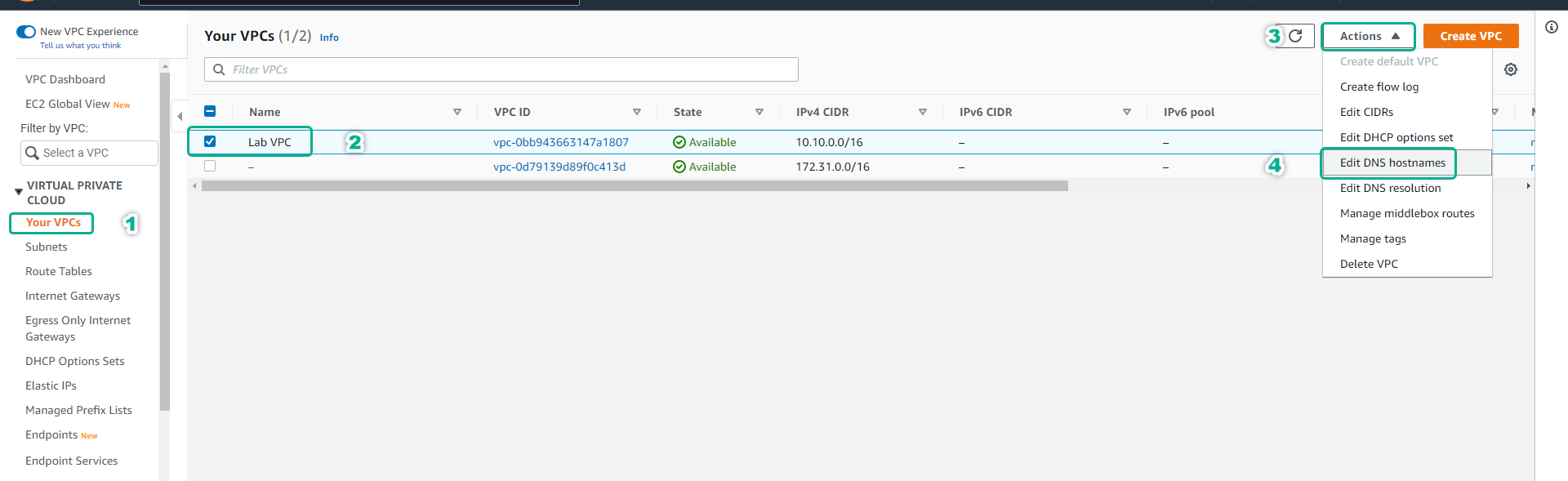
Click Your VPCs.
-
Select Lab VPC.
-
Click Actions.
-
Click Edit DNS hostnames.
-
Click Endpoint, then click Create Endpoint.
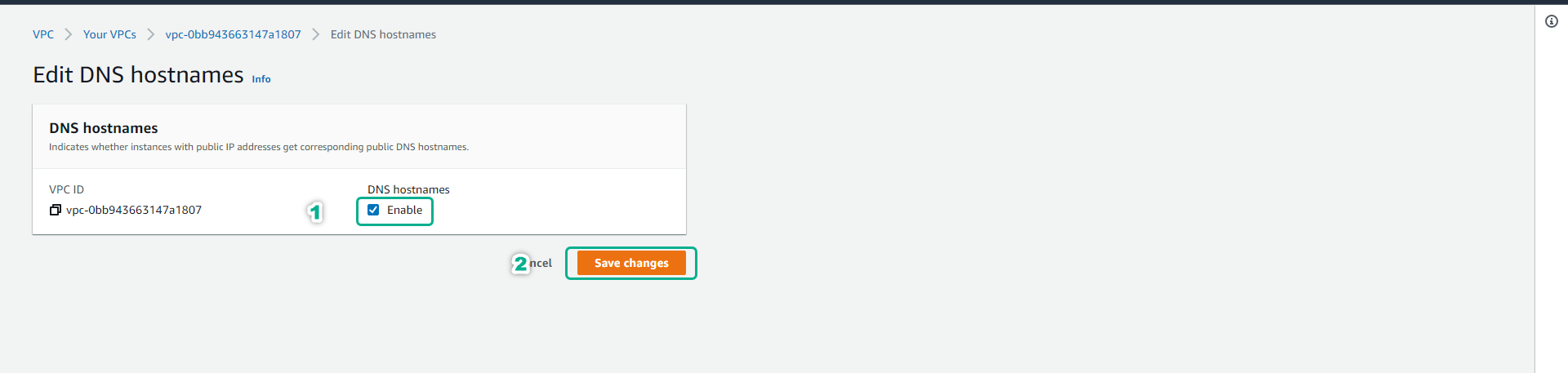
- At the Edit DNS hostnames page.
- Click to select Enable.
- Click Save changes.