Resource Cleanup
We will follow these steps to delete the resources we created in this exercise.
Delete EC2 instance
- Access the EC2 management console
- Click Instances.
- Select both Public Linux Instance and Private Windows Instance.
- Click Instance state.
- Click Terminate instance, then click Terminate to confirm.
Delete Load Balancer
- Access the Load balancers interface
- Select the Load Balancer you want to delete.
- Click Actions.
- Click Delete load balancer.
- Type Confirm and click Confirm.
Delete Target Group
- Select the Target Group you want to delete.
- Click Actions.
- Click Delete.
- Click Yes, delete.
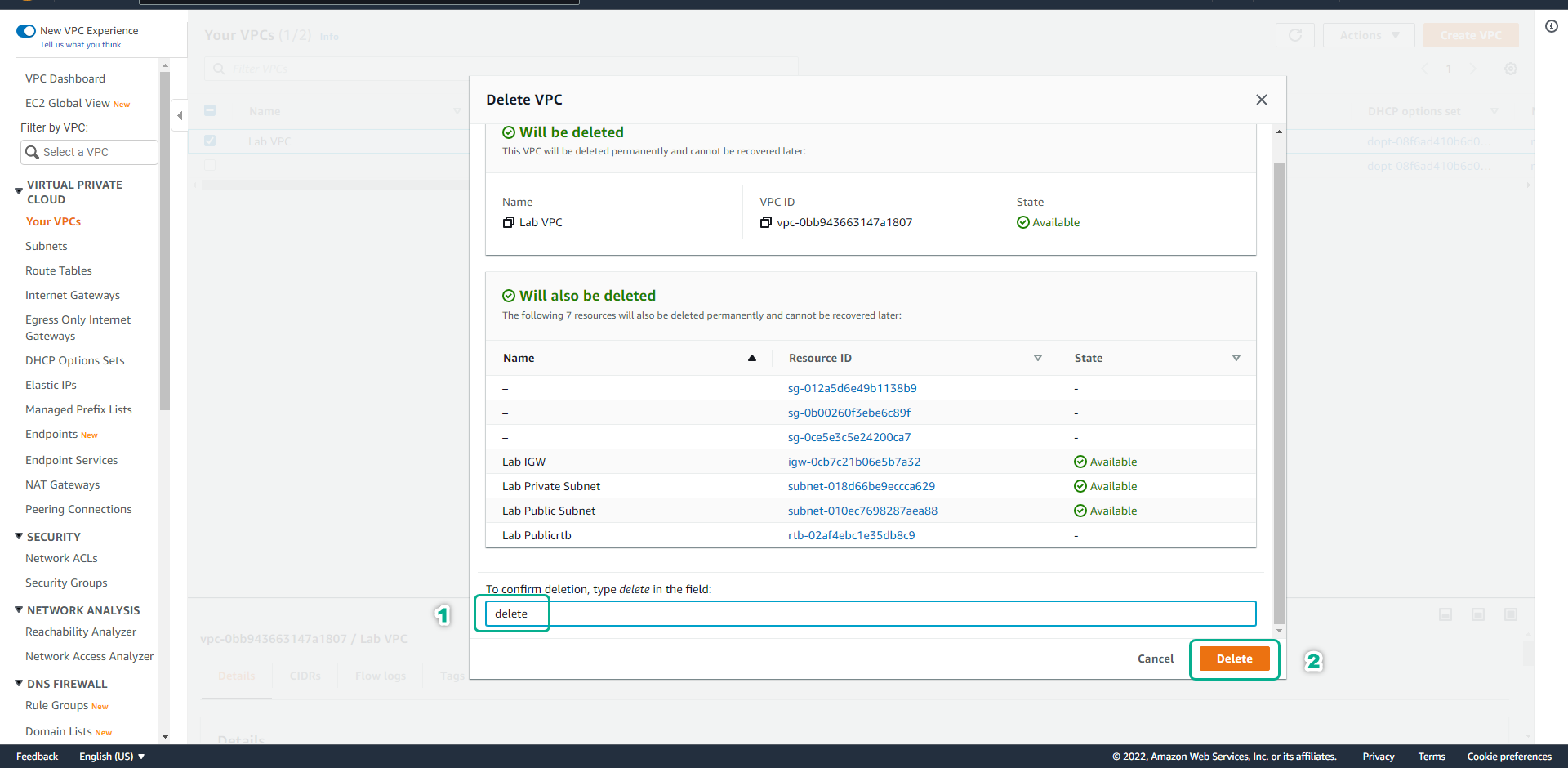
Delete VPC
- Access the VPC management console
- Click Your VPCs.
- Select Lab VPC.
- Click Actions.
- Click Delete VPC.
- In the confirm box, type delete to confirm, then click Delete to delete Lab VPC and related resources.